# Resize RAID1 array without knowing which disk is which
I want to grow my RAID1 array from 2x250GB to 2x500GB. The
[following resource](http://www.steveglendinning.com/2007/10/24/)
has helped my a lot.
> Update
>
> It all worked, allthough the kernel decided to crash during the
> offline ext4 resize. But I finally have my extra disk space
>
> `% df -h | grep md6`
>
> before: `/dev/md6 77G 67G 6.7G 91% /vol`
>
> after: `/dev/md6 306G 67G 224G 23% /vol`
Now to my problem/solution:
On Linux you often have the following problem: You are
*looking* or *touching* some piece of hardware and
you are asking yourself: "is this card `eth0` or `eth1`?"
or "is this disk `/dev/sda` or `/dev/sdb`?".
In my case I didn't know which disk had what device name. Solution?
Rip out a random disk and replace it with an empty new disk (no
partition) and hope for the best.
> Some scary moments come to pass
Well after rebooting, I got the question if I wanted to boot the
degraded array. After saying 'yes' I was back into my system.
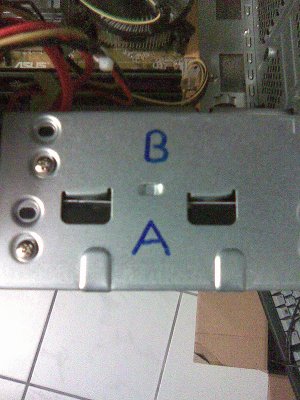
Turns out I had ripped out `/dev/sda`. Time to mark this on the
case:
 Now to restore the partition table of the old disk to the new one:
sfdisk /dev/sda < sda.sfdisk
Where `sda.sfdisk` is the partition info saved with `sfdisk -d
/dev/sda`.
Now my last partition on the disk was `/dev/sda4` - luckily *not* in a logical
partition, as I don't know how to extend that. So I could easily delete this
partition and recreate it so that it fills the entire size of the new
disk. Some simple `fdisk`-foo will help you here.
Now re-add all the partitions back to the RAID1 array:
mdadm --add /dev/md0 /dev/sda1
And this for all 8 partitions.
And then... we wait for the RAID1 rebuild:
watch cat /proc/mdstat
Now to restore the partition table of the old disk to the new one:
sfdisk /dev/sda < sda.sfdisk
Where `sda.sfdisk` is the partition info saved with `sfdisk -d
/dev/sda`.
Now my last partition on the disk was `/dev/sda4` - luckily *not* in a logical
partition, as I don't know how to extend that. So I could easily delete this
partition and recreate it so that it fills the entire size of the new
disk. Some simple `fdisk`-foo will help you here.
Now re-add all the partitions back to the RAID1 array:
mdadm --add /dev/md0 /dev/sda1
And this for all 8 partitions.
And then... we wait for the RAID1 rebuild:
watch cat /proc/mdstat
 Just to be sure I re-installed `grub` with `grub-install /dev/sda`.
Rinse and repeat for the other disk and after that has finished
rebuilding I can resize the file system on `/dev/sda4`. Which is
% grep sda4 /proc/mdstat
md6 : active raid1 sda4[2] sdb4[1]
So
e2fsck -f /dev/md6
resize2fs /dev/md6
Note this was all done with kernel 2.6.29.1 and the `ext4` file system.
See
[this post](/2009/march/29/ubuntu_9_04__2_6_29__ext4_and_server_move/index.html)
or some info on that. And only 1 kernel crash during the offline resize!
Just to be sure I re-installed `grub` with `grub-install /dev/sda`.
Rinse and repeat for the other disk and after that has finished
rebuilding I can resize the file system on `/dev/sda4`. Which is
% grep sda4 /proc/mdstat
md6 : active raid1 sda4[2] sdb4[1]
So
e2fsck -f /dev/md6
resize2fs /dev/md6
Note this was all done with kernel 2.6.29.1 and the `ext4` file system.
See
[this post](/2009/march/29/ubuntu_9_04__2_6_29__ext4_and_server_move/index.html)
or some info on that. And only 1 kernel crash during the offline resize!